
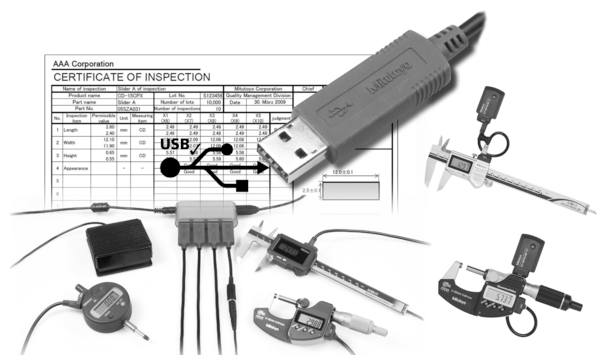


USB-ITPAK Version 3 is software for collecting data from measuring instruments with Digimatic, Digimatic 2 and Digimatic S1 output to Excel by using USB Input Tool Interface, USB Input Tool Direct cables, U-WAVE wireless system and DP-1VA pinter/logger
- Supports bidirectional serial communication provided by e.g. ID-F indicator, ID-C Indicator and Height Gauge LH-600F/FG
- Various settings are available like zero set, preset, unit, counting direction, tolerance setting, calibration date setting a.s.o.
- Measurement status information can be read like serial number, code number, calibration date, user control number a.s.o.
- USB-ITPAK Version 3 simple version is available online free of charge
- Compatible OS Microsoft® Windows® 10 (64 bit) and 11
- For Microsoft® Excel® version 2010, 2013, 2016 and Microsoft 365
| OS compatibility: |
Windows® 10 (64bit only), 11
|
| Applicable MS Excel Version: |
Excel 2010/2013/2016/2021, Microsoft365
|
| Language for display: |
English, German, French, Italian, Spanish, Turkish, Czech, Polish, Hungarian, Swedish, Russian, Japanese, Korean, Simplified Chinese, Traditional Chinese, Dutch, Portuguese
|
| Remarks: |
Version 3 can be used for Wireless Communication (U-WAVE and U-WAVE Bluetooth), USB Input Tool Direct Cable, USB-Input Tool No. 264-016-10 and 264-020 and DP-1 VA printer/logger. Supports bidirectional serial communication provided by e.g. ID-F/ ID-C Indicator (2,022 model), LH-600 F/FG and QuantuMike Micrometer (2,024 model).
|
| Delivered: |
With license key
|
| Functions: |
|
No technical information is currently available.
No application information is currently available.
Why Buy From MQS?
Over 40 years supplying precision measuring equipment throughout the UK and Ireland.
🎓
Expert Advice
Experienced engineers helping you select the correct measuring solution.
✔️
UKAS Calibration
Full UKAS accredited calibration laboratory with nationwide support.
🔧
Installation & Training
Installation, commissioning and operator training available.
🤝
After Sales Support
Technical support, servicing, repairs and ongoing customer care.